

Last year at Microsoft Build, an annual conference event, Azure Deployment Environments was released, a service that enables developers to quickly spin up app infrastructure with project-based templates. After a year of working with over 30 organisations from industries like financial services, retail, automotive they’ve announced the addition of several new features and capabilities. Sagar Lankala, the Senior Product Manager, announced the new features at Build, Microsoft’s annual conference.
What’s new?
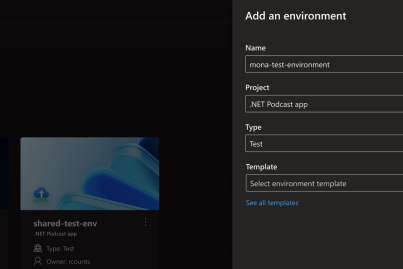
Already in public preview, developers can deploy new environments through the terminal in their code editor or as part of a GitOps workflow. Now in general availability, developers can view, deploy, and manage their environments all from a custom developer portal—that also houses cloud-based workstations available through Microsoft Dev Box.
They also announced support for Terraform infrastructure-as-code files in Azure Deployment Environments —customers can sign up for early access today. The service already supports Azure Resource Manager (ARM) templates; adding Terraform support means that customers who use Terraform will be able to directly import their existing templates into Azure Deployment Environments. Support for other infrastructure-as-code formats—including Pulumi and Ansible—is on the backlog.
To enable a seamless developer experience across products, we’re also working on an integration between Azure Deployment Environments and the Azure Developer CLI (azd). With this integration, enterprise developers will be able to leverage azd to provision app infrastructure using Azure Deployment Environments and, easily deploy app code onto the provisioned infrastructure.
- Tech Mahindra Partners With SpaceXSI to Bring AI Into Software Engineering
- Infosys AI Revenue Rises 29% in Q2, FY27 Growth Guidance Cut
- LTM Launches BlueVerse Industrial AI Lab in Chennai
- Chariot Launches Speech Recognition Model for 10 Indian Languages
- Meta Expects Up To $145 Billion In Capex As AI Investments Expand
- Cyient's Technology Order Intake Rises 39.7% as It Expands AI Capabilities