Key takeaways
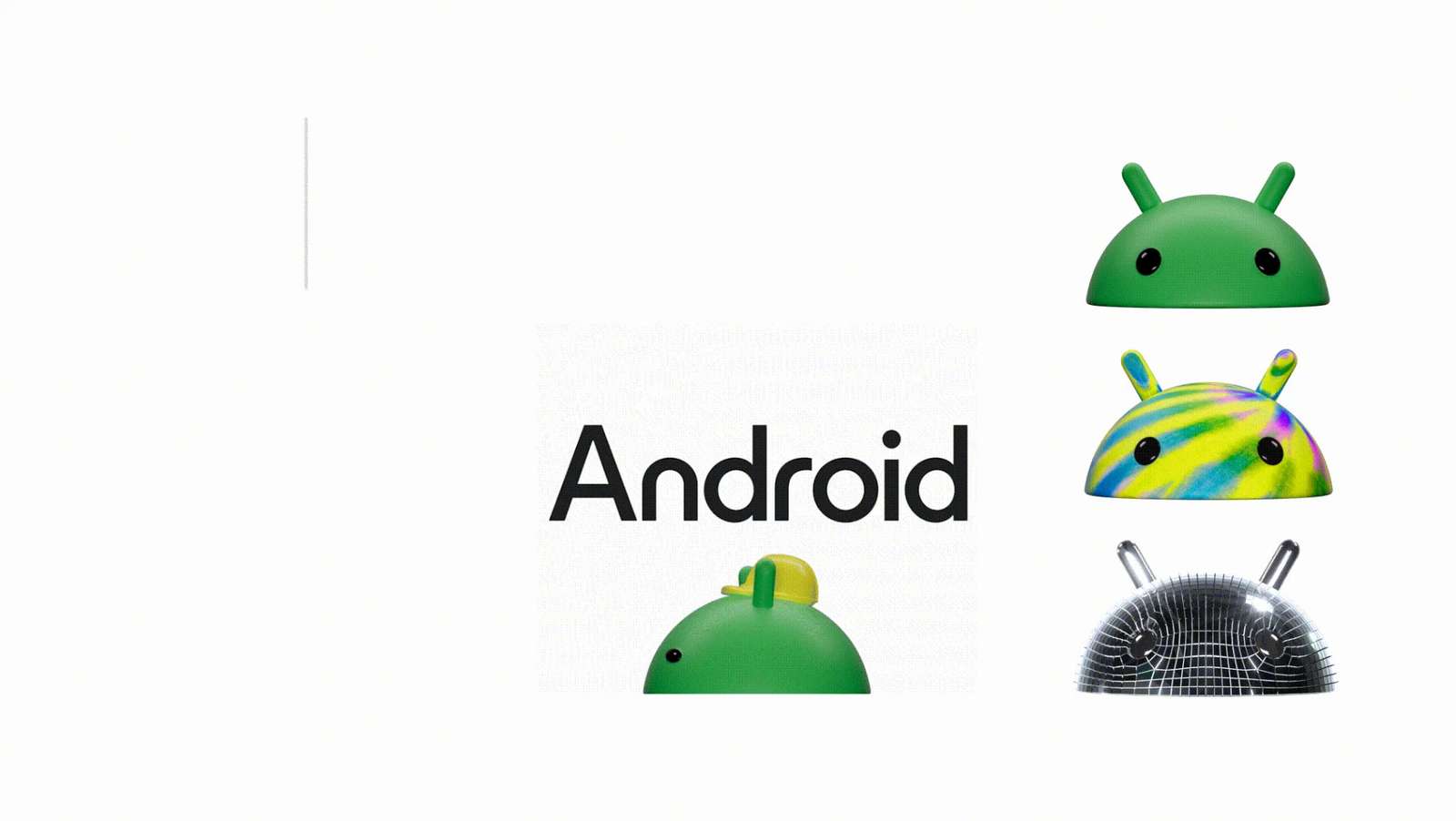
- Android has undergone a rebranding, introducing a new logo with a 3D look and a more dynamic bugdroid character.
- The updated Android logo features a capital 'A', emphasising its presence alongside Google's branding.
- Android will discontinue its quirky naming system, opting for a straightforward numbering approach for future releases.
- The new Image Q&A feature enhances accessibility by using AI to provide detailed descriptions of visual content.
In a major rebranding effort, Android has unveiled a new image and naming convention, aiming to align itself with the evolving needs and aspirations of its global user base.
Google on Tuesday updated the Android’s logo giving it a new 3D look. The company in the blog post said that the bugdroid — the face and most identifiable element of the Android robot — now appears with more dimension, and a lot more character.
In addition to this Google also updated the robot’s full-body appearance to ensure it can easily transition between digital and real-life environments, making it a versatile and reliable companion across channels, platforms and contexts. The company wanted bugdroid to appear as dynamic as Android itself.
One of the most noticeable changes in this rebranding effort is the elevation of the Android logo. The familiar lowercase stylization of "android" is now replaced with a capitalized "A," placing greater emphasis on Android's presence. The tech giant said this change is particularly significant when the Android logo is displayed alongside Google's logo, signifying a closer integration between the two entities.
Furthermore, Android has bid adieu to its quirky nomenclature such as "Lollipop" and "Marshmallow." In its place, Android will now use a straightforward numbering system, with the upcoming iteration being labeled "Android 14." This strategic move seeks to ensure that Android's releases are universally understood and accessible.
New updates for Android
Android added a new feature Image Q&A on Lookout which enhances the accessibility of visual content by employing AI to generate more comprehensive descriptions. Once a user has opened an image, they have the option to type or utilize voice commands to inquire further about the image's contents. Moreover, Google has also added another 11 languages to the Lookout app, including Chinese, Korean, and Japanese.
Google Wallet Pass now allows for the importing of photos, enabling you to digitize passes containing barcodes or QR codes, such as gym or library cards. By simply uploading an image of the pass, you can securely store a digital version of it in your Google Wallet.
Android Auto is now adding support for Webex and Zoom audio conference calls, enabling users to seamlessly join meetings on both platforms and access schedules through your car's display.
The final new feature is integrated with Google Assistant, allowing users to incorporate sleep-tracking data from Fitbit or Google Fit into your Google Assistant Routine.
Spotted an error? Tell our editors. Read our editorial standards and corrections.