
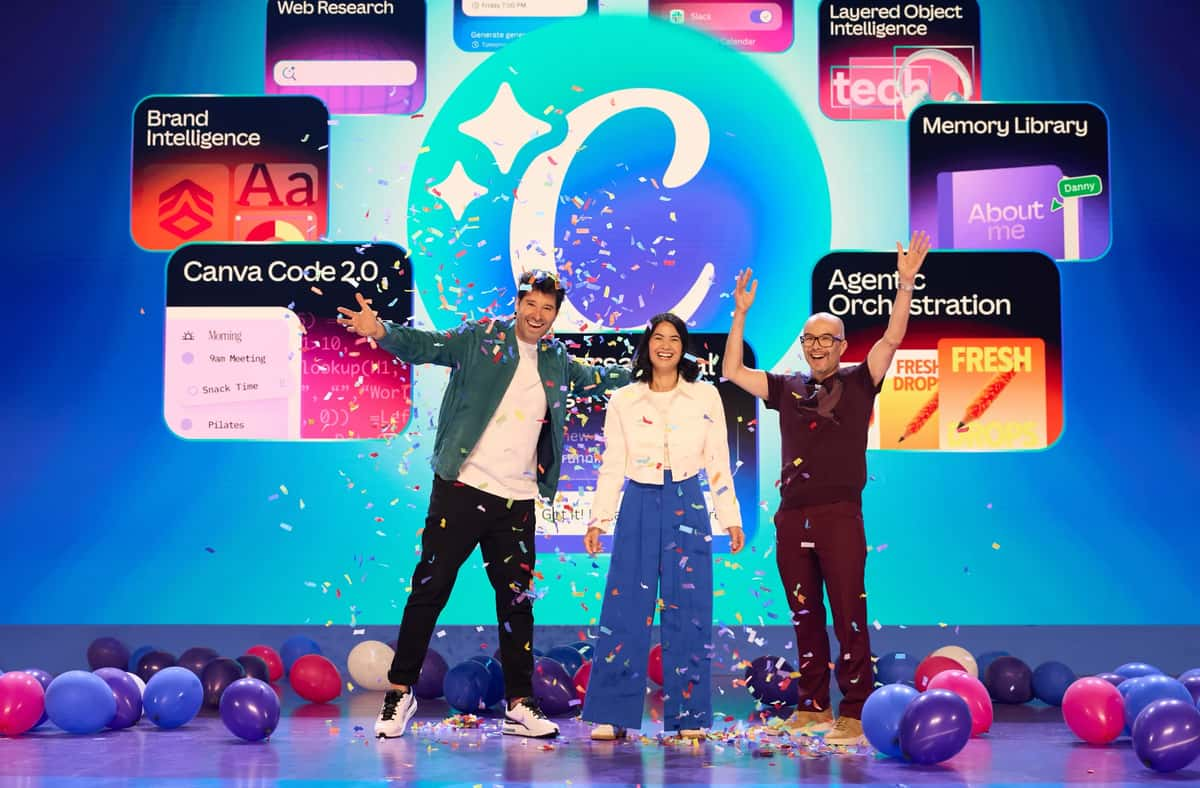

At the launch of Canva AI 2.0, Canva said it now has 265 million monthly users, over 31 million paid users, and $4 billion in annualised revenue. The company has been profitable for the past nine years.
Much of Canva’s success is attributed to its user-friendly interface, which makes design more predictable. Users don’t need to learn all its features, which work exactly as expected. Canva AI, which was piloted in April last year, reflected that philosophy, allowing users to generate designs, images, and text from a single prompt.
But as the company scales the deployment of its new AI features, does it risk introducing unfamiliarity to a large group of users who have long relied on Canva for its simpler, more intuitive usability?
Traditional Canva features have been deterministic, where a crop tool behaves exactly as expected, and a filter produces a predictable output as shown in the preview. However, generative AI may not always give you an output exactly as expected.
Tackling AI’s Unpredictability
Danny Wu, Canva’s Head of AI Products, tells AIM that the platform is tackling this challenge with three pillars—memory, brand alignment, and editability.
“As you use Canva AI 2.0, give a request or feedback—it remembers that. In the future, Canva will steer and guide its styling and output based on the information,” he explains.
With Canva AI 2.0, users can also use existing designs to generate a custom memory library and an ‘About Me’ profile that continuously tailors the user experience.
Furthermore, ‘Brand Intelligence’ ensures that once users connect their brand data, Canva automatically applies default fonts, colours, and styles to each design. Existing designs can also be updated by applying the brand data.
However, such features have long exposed the biggest usability failures in generative tools. “A lot of frustration with AI is that once it doesn’t give you exactly what you want, you end up on a time-consuming journey,” Wu observes.
Canva’s hedge against these failure modes is its in-house foundational models, which bring editability from the ground up, says Wu.
Features like Object-Based Intelligence in Canva AI 2.0 lets users precisely edit elements in a design without starting over, and Canva edits only the part of the design that the user intends to. These models were built as part of the Canva Original Research and Exploration (CORE) lab.
Additionally, Canva’s most recent acquisitions contribute strongly to its AI-led infrastructure. In 2024, it acquired Leonardo AI, a generative AI startup, integrating its foundational models into Canva’s Magic Studio to expand image and video generation capabilities.
This was followed by MangoAI and Cavalry in early 2026, strengthening AI content generation and motion design workflows. Soon after, Canva acquired Simtheory and Ortto, adding agentic collaboration and customer data-driven marketing automation to its stack.
Avoiding Being a Prompt ‘Engineer’
In addition, Canva AI 2.0 also brings new features that let users fetch information from third-party apps such as Slack, Notion, Zoom, Gmail, and Google Drive using the Connectors feature, along with the ‘Web Research’ feature that helps users search for information from the web to add context to their designs.
Besides, a set of features in Canva AI 2.0 is based on user prompting with natural language. Users can create fully editable designs with structure, brand details, and layout using natural-language prompting, along with agentic orchestration features where Canva can create an end-to-end design from user prompts.
In addition, Canva is bringing new features that let users import HTML files to modify them on the platform and create spreadsheets populated with user data and research points using Canva AI 2.0.
A common limitation across AI tools today is that users are expected to know how to write effective prompts. As Wu points out, “the quality of what AI generates depends very heavily on the inputs you give it.”
Canva’s approach is to reduce that dependency on user skill. Instead of expecting users to refine prompts manually, the system rewrites and expands them in the background. “We try to essentially augment what we hear from you,” Wu says, referring to internal prompt enhancement systems that interpret both text and visual inputs.
This also extends beyond text. Users can upload reference images, mood boards, or existing designs, which Canva uses as context to guide outputs. Over time, the system builds on past interactions. It learns preferences, incorporates prior requests, and adjusts outputs without requiring users to restate everything.
Wu notes that this is particularly important for new users who may not have any prior history on the platform. In such cases, Canva relies on onboarding signals, such as whether a user is designing for work, learning, or personal use, to shape initial outputs before gradually adapting over time.
The broader goal is to avoid turning users into prompt engineers. As Wu puts it, Canva is focused on making AI work “whether you're new to AI or whether you're a power user.”
Preserving Canva’s Core Experience
The company, in its press briefing, stated that its moat today lies in its proprietary design-focused AI stack, built on 14 years of design data, user interactions, and content libraries. This includes data from how users create, edit, and structure designs, along with access to millions of templates, images, videos, fonts, and brand kits.
Another advantages Canva brings is that the user is not staring at a blank slate—like they would with Google’s Gemini or ChatGPT. With Canva 2.0, the platform says continues to expand its templates, giving suggestions in the very first slide.
At the same time, the company is cautious about how these capabilities are introduced.
One risk of expanding AI features is overwhelming existing users, especially those who rely on Canva as a daily tool but are not familiar with AI systems. Rather than restructuring the product around AI, Canva has kept core workflows unchanged, while introducing new features through separate entry points such as the Canva AI tab and contextual suggestions within the editor.
“We’re not removing any of the old Canva,” Wu asserts. “We’re integrating our latest AI features to supercharge Canva, not to replace it.”
- Smaller Language Models Could Reshape How Enterprises Deploy AI
- Enmovil Plans to Quadruple FDE Team as Enterprise AI Hiring Moves Beyond Coding
- Does the World Need a New GitHub?
- Can India’s AI Boom Reach Bharat?
- AI's Next Agritech Frontier Is India's Fragmented Supply Chain
- India’s Frontier AI Race Gets a 240M Model That Beats Liquid AI