
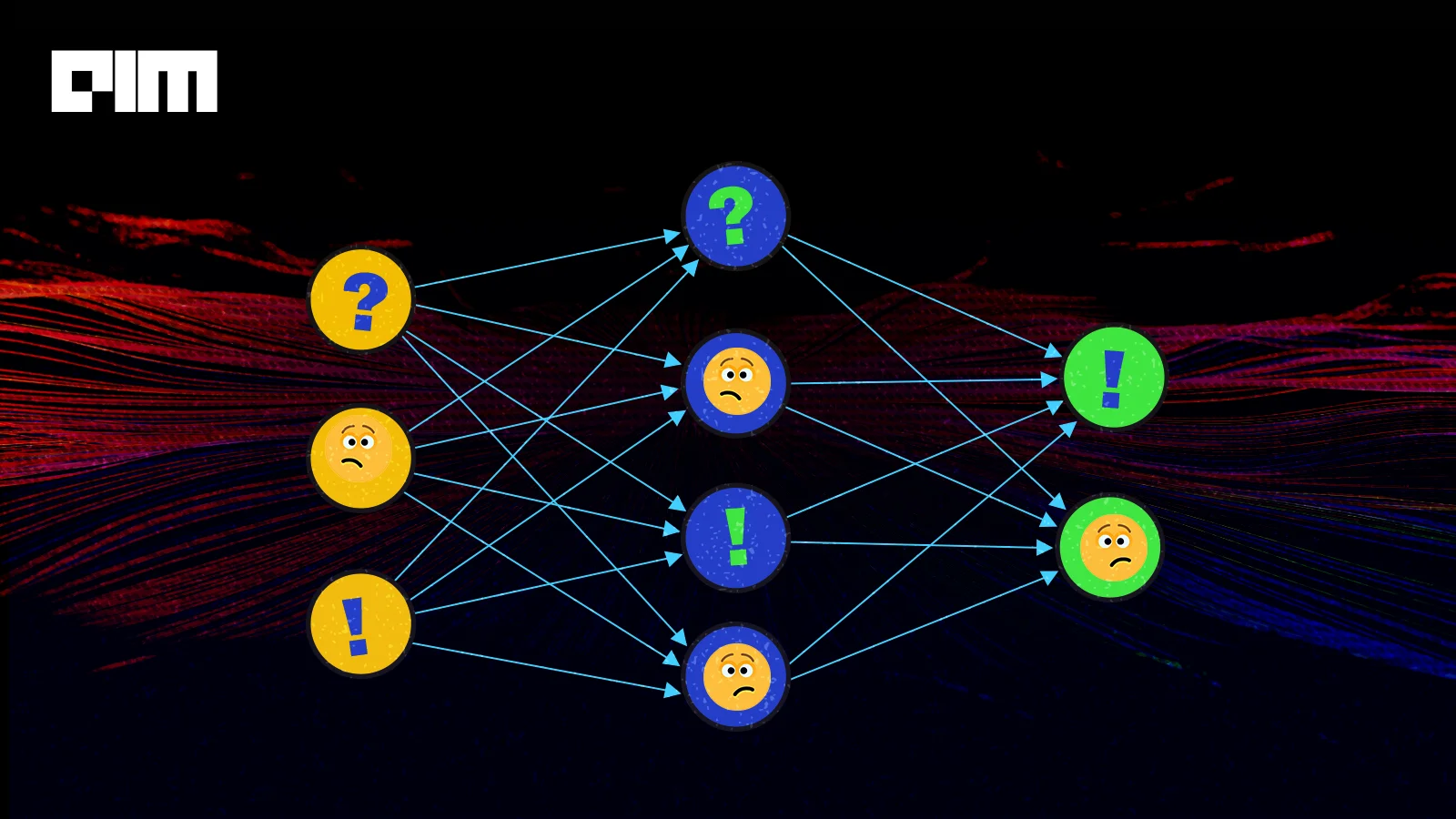
Many machine learning models, including neural networks, consistently misclassify the adversarial examples. Adversarial examples are nothing but specialised inputs created to confuse neural networks, ultimately resulting in misclassification of the result. These notorious inputs are almost the same as the original image to human eyes but cause a neural network to fail to identify the image’s content. Such inputs formed by applying small but intentionally worst case perturbation to the example from the dataset such that perturbed input results in the model putting an incorrect answer that too with high confidence.
Classifiers based on modern machine learning techniques which obtained higher performance on test data are not learning the true underlying concept that determines the correctness of output labels. Instead, these algorithms are impressive on naturally occurring data, but being exposed to fake data or tempered gives a high probability on other labels. This is particularly disappointing because a popular approach in computer vision is to use convolutional network features as space where Euclidean distance approximates perceptual distance. However, this resemblance is flawed if images with immeasurably small perceptual distances correspond to different network representation classes.
There are several types of attacks, but the focus is on the Fast Gradient Sign Method attack, which is the whitebox attack. Whitebox attacks are those where the hackers or attackers have complete access to the model being attacked.

The above example is the most common example used to explain the method; here, initially, the model predicts the image as a panda with decent confidence now the attackers have introduced a perturbed image to the original one, which model results misclassify it as a gibbon that has too very high confidence. The method used to introduce disturbance is FGSM, and we are going to discuss this method.
How Fast Gradient Sign Method works?
The FGSM makes full use of gradients of a neural network to build an adversarial image; it computes the gradients of the loss function, e.g. MSE or Cross-entropy, to the input image and then uses the sign of that gradient to create a new adversarial image.
Gradients are taken w.r.to input images because the objective is to create the image which maximizes the loss. This is done by finding how much each pixel contributes to the loss value, and methods add perturbation accordingly. This will not affect any change in the model's parameter as it is already trained; we have taken only states of the gradient.
In short, the method works in the following steps:
- Takes an image
- Predicts image using CNN network
- Computes the loss on prediction against true label
- Calculates gradients of the loss w.r.to input image
- Computes the sign of the gradient
- Using sign generates a new image
Let’s implement this method. To explain this method, we have used the official code of this method from Tensorflow.
Implementation of FGSM in Python
Import all dependencies:
import tensorflow as tf
import matplotlib.pyplot as plt
import matplotlib as mpl

# define the figures size
mpl.rcParams['figure.figsize'] = (7,7)
Load the pretrained model:
Here we are using MobileNetV2 on the imagenet dataset;
pre_trained_model = tf.keras.applications.MobileNetV2(
    include_top = True, weights = 'imagenet')
pre_trained_model.trainable = False
# decoding the prediction
decode_prediction = tf.keras.applications.mobilenet_v2.decode_predictions
Helper Functions:
Below two helper functions are used to process the input image so that it can be handled by our model and another one to extract predicted labels;
def process(image):
  image = tf.cast(image, tf.float32)
  image = tf.image.resize(image, (224,224))
  image = tf.keras.applications.mobilenet_v2.preprocess_input(image)
  image = image[None, ...]
  return image
def imagenet_label(probs):
  return decode_prediction(probs, top=1)[0][0]
Load the image:
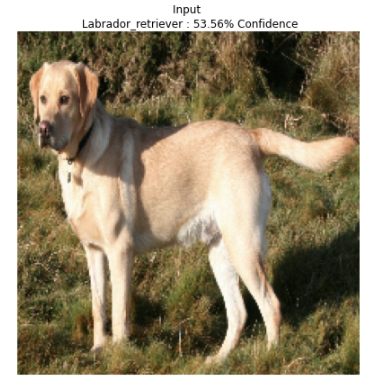
Here we will load the image from the web and check the prediction; you can try the image from a local machine also;
image_path = tf.keras.utils.get_file('Labrador_on_Quantock_%282175262184%29.jpg','https://upload.wikimedia.org/wikipedia/commons/thumb/3/34/Labrador_on_Quantock_%282175262184%29.jpg/1200px-Labrador_on_Quantock_%282175262184%29.jpg')
image_raw = tf.io.read_file(image_path)
image = tf.image.decode_image(image_raw)
image_processed = process(image)
img_probs = pre_trained_model.predict(image_processed)
plt.imshow(image_processed[0] * 0.5 + 0.5)
_, image_class, class_confidence = imagenet_label(img_probs)
plt.title('{} : {:.2f}% Confidence'.format(image_class, class_confidence*100))
plt.axis('off')
plt.show()
Create an Adversarial image:
As explained above, here, extract the gradient of the predicted image to create perturbation which will be used to distort the original image.
loss = tf.keras.losses.CategoricalCrossentropy()
def adv_pattern(input_image, input_label):
  with tf.GradientTape() as tape:
    tape.watch(input_image)
    prediction = pre_trained_model(input_image)
    loss_ = loss(input_label, prediction)

    # Get the gradients of the loss w.r.to input image
    gradient = tape.gradient(loss_, input_image)
    # Get sign of gradient to create perturbation
    signed_grad = tf.sign(gradient)
    return signed_grad
Lets see the generated adversarial image;
labrador_retriever_index = 208
label = tf.one_hot(labrador_retriever_index,img_probs.shape[-1])
label = tf.reshape(label, (1, img_probs.shape[-1]))
perturbations = adv_pattern(image_processed, label)
plt.imshow(perturbations[0] * 0.5 + 0.5)
Confusing the network:
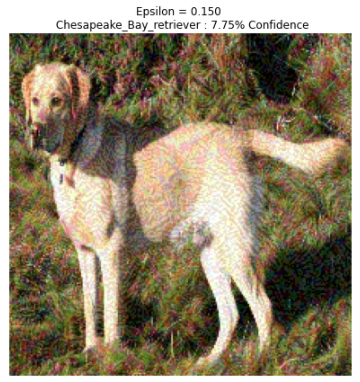
Using more values of epsilons (a value to set the level of perturbation) will help to observe the effect; later, you will see as we increase the values, the network tends to misclassify quickly.
def display_images(image, description):
  _, label, confidence = imagenet_label(pre_trained_model.predict(image))
  plt.figure()
  plt.imshow(image[0]*0.5+0.5)
  plt.title('{} \n {} : {:.2f}% Confidence'.format(description,
              label, confidence*100))
  plt.axis('off')
  plt.show()

epsilons = [0, 0.01, 0.1, 0.15]
descriptions = [('Epsilon = {:0.3f}'.format(eps) if eps else 'Input')
                for eps in epsilons]

for i, eps in enumerate(epsilons):
  adv_x = image_processed + eps*perturbations
  adv_x = tf.clip_by_value(adv_x, -1, 1)
  display_images(adv_x, descriptions[i])
Below are the results for different values of epsilons:


Conclusion
The most common defence consists of training your network Adversarial images of each class generated using the target model. This improves the overall generalization of the model but doesn't provide meaningful robustness to the model. In this case, we can use different defensive techniques such as guided denoiser or defensive distillations to get true robustness.
From this article, we have seen that FGSM can be used to fool the network. We also try this method with different models and architecture. The main deciding factor is the epsilon value. By it, we can have a tradeoff between classification.

Your reaction
Discussion
What's your take on this story?
No comments yet — be the first to share your view.