
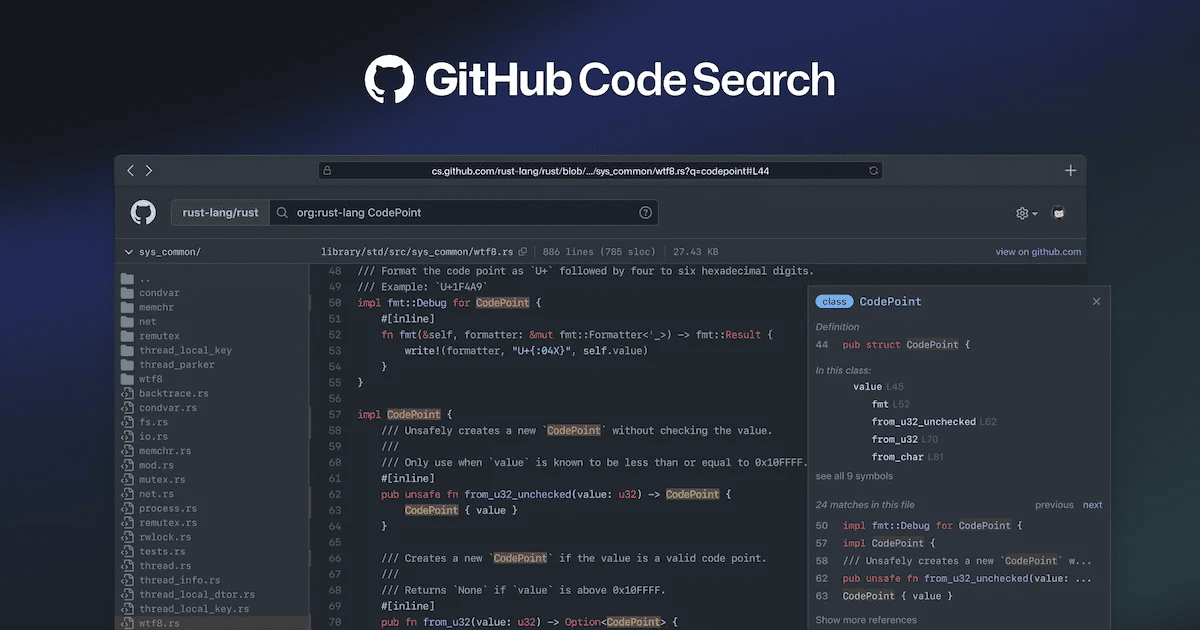
GitHub has rolled out a technology preview for improvements to code search. Initially, the team has created a separate interface for the new code search as they build it, and after positive feedback, it will be integrated into the main github.com experience.
The team plans to help developers search, discover, navigate, and understand code quickly and intuitively with code search. Code search will help maintain a flow state with auto-completion at every step and show the most relevant results first. The rich browsing experience is optimized for reading and understanding code, allowing developers to quickly make sense of unfamiliar logic, even for code outside their IDE.
Covering a search index of over five million public and private repositories, the GitHub code search preview allows users to:
- Easily find what they’re looking for, with smart ranking and an index that is optimized for code.
- Search for an exact string of code, with support for substring matches and special characters, or use regular expressions (enclosed in `/` separators).
- Scope searches with `org:` or `repo:` qualifiers, with auto-completion suggestions in the search box.
- Refine results using filters like language:, path:, extension:, and Boolean operators (OR, NOT). Search for definitions of a symbol with symbol:.
- Additional features include a directory tree view, symbol information for the active scope, jump-to-definition, and select-to-search.
The improvements to code search follow the release of Copilot and Codespaces. “As a developer, staying in a flow state is hard. Whenever you look up how to use a library, or have a test fail because your developer environment has diverged from CI, or need to know how an error message can arise, you are interrupted. The longer it takes to resolve the interruption, the more context you lose,” wrote Pavel Avgustinov, Senior Director of Software Engineering at GitHub, in a blog post. These developments are a part of their unified solution to improve developer productivity.
- Amazon Warns Engineers Against AI Productivity Traps in Latest Memo
- Gnani AI Launches Prisma v3.0 Speech Recognition Model for 10 Languages
- Venttup Raises $3 Million To Expand Precision Manufacturing
- Articul8 Launches Bivia To Help Enterprise AI Agents Make Decisions
- NVIDIA Launches Open-Weight Transcription Model for 40 Languages
- Sarvam AI Rolls Out Indus Cowork to 2,500 Maharashtra Govt Officials