
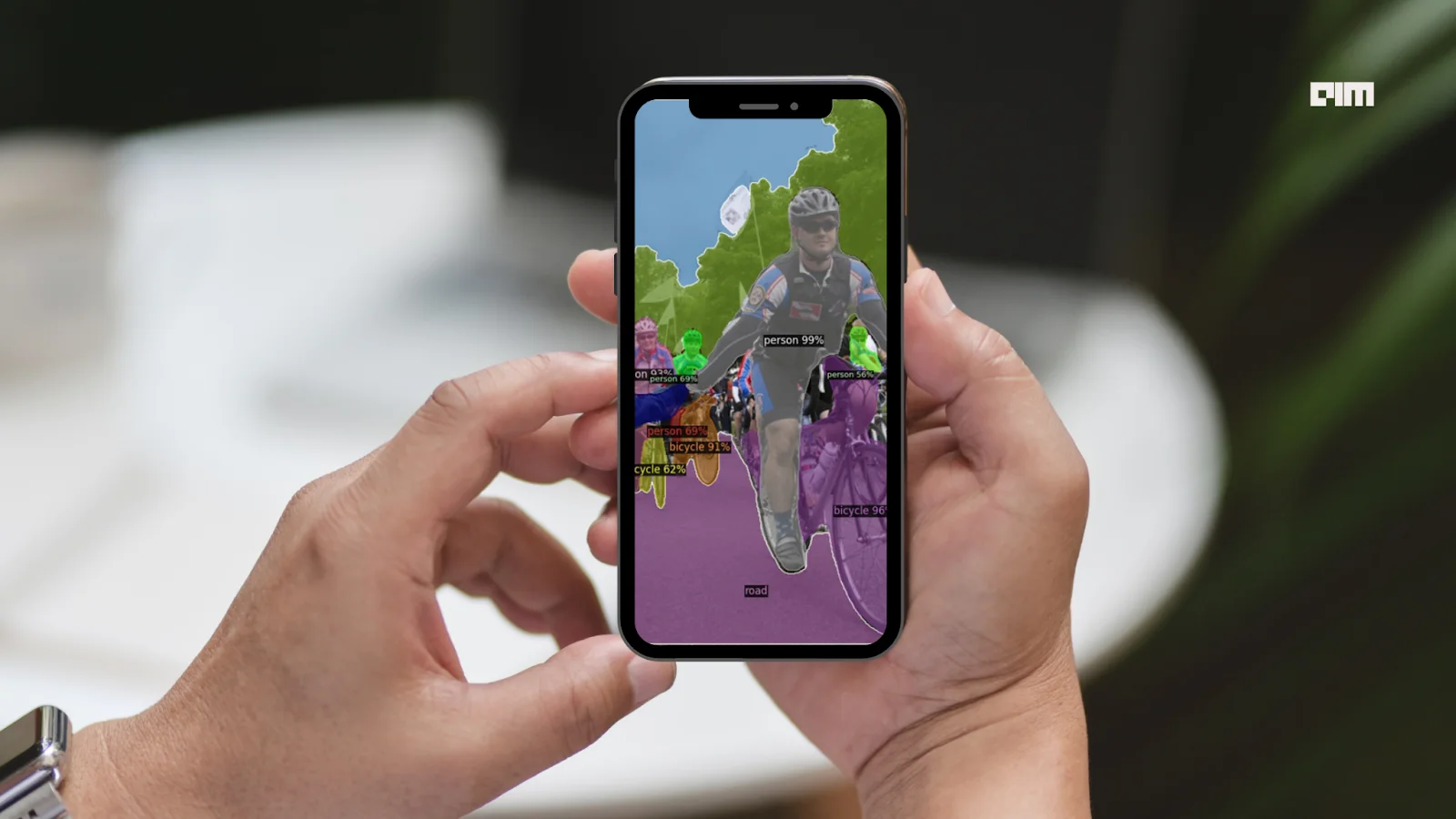
Facebook has recently introduced D2Go, with in-built Detectron2, the state-of-the-art toolkit for memory-efficient end-to-end training and deployment of deep learning computer vision models on mobile devices.
Computer vision is one of the most memory-utilizing tasks in Deep Learning. On the other hand, most real-time computer vision applications such as object detection, semantic segmentation, person key-point estimation, panoptic segmentation, and pose detection are performed using devices such as mobile cameras, robot cameras, and CCTV cameras supported with relatively less memory. Therefore, there is a necessity to use cloud-based computer vision models to process images or videos captured by end devices. There are remarkable limitations in using cloud-based computer vision applications:
- Latency in processing and transmission
- Accuracy and efficiency
- Security and privacy
In cloud-based applications, the mobile devices send images or videos either to the cloud through the internet connection, the specific task is performed at cloud (or some server), and the results (bounding boxes, estimated key-points, masks, classes, etc.) are received back by the mobile devices either to display them to the user or to make necessary decisions. The entire process of data capturing, transmission, cloud processing, and receiving takes a considerable amount of time, making the approach unreliable many times.
For instance, consider a scenario of an autonomous vehicle system with its front-focusing camera connected to a cloud processing unit. If the entire system takes around 1 second to detect a car moving ahead of it, there is a great possibility leading to accidents. Because the view may vary in a fraction of a second. Consider another scenario of pose detection through a personal mobile phone’s camera connected to a cloud-based solution. The person who uses the mobile phone may fear privacy of personal photos or security breaches at cloud servers or data transmission systems.
There have been continuous attempts (iOS, Android) to implement computer vision models within a mobile device, but the end results are not fully satisfactory because of the failure to overcome one or more of the above-listed limitations. For example, a demo implementation of the YOLOv5 model on an Android device took around 550 milliseconds to detect objects (object classification with bounding boxes) in a sample image.
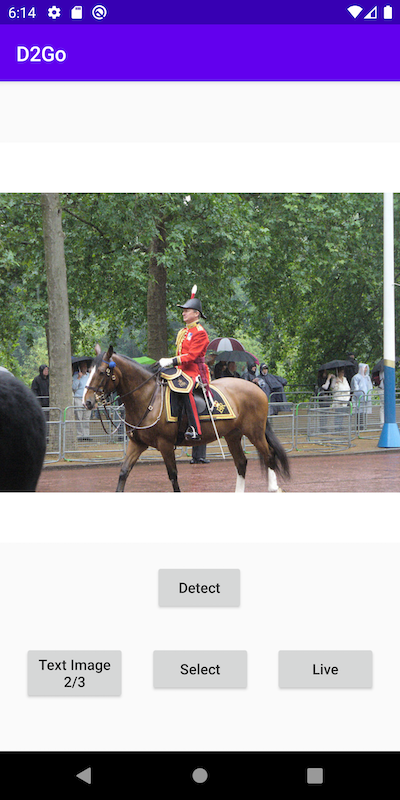
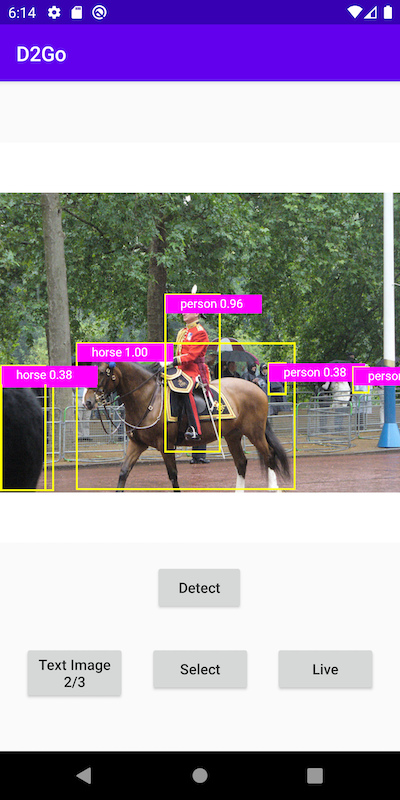
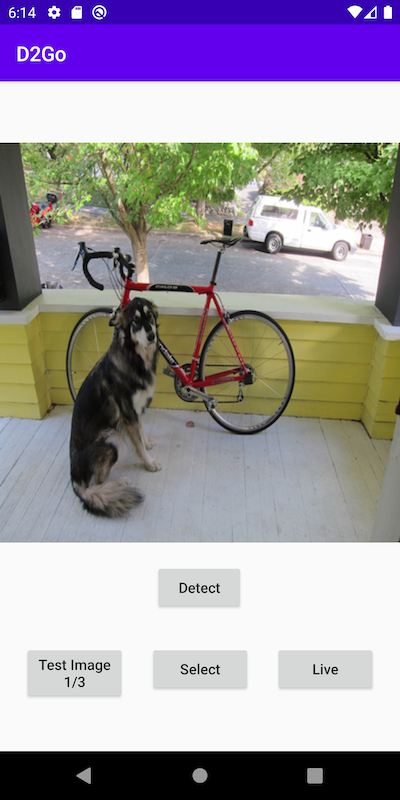
To this end, Facebook AI Research has extended its tremendous success with the Detectron series to introduce D2Go, the short form of Detectron2Go that addresses every limitation discussed above. It can be fully implemented within an iOS device, an Android device, or any other mobile platform. It is built on top of Detectron2, TorchVision and PyTorch Mobile to perform every task from end-to-end training of an object detection model to its deployment within the mobile device itself. It achieves state-of-the-art performance in various object detection tasks, massively outperforming any other mobile implementation. For example, a demo implementation of D2Go on an Android device takes just 50 milliseconds to detect objects in a sample image, in contrast to the 550 milliseconds taken by an identical implementation with YOLOv5.


With Facebook's D2Go on the device, developers can deploy a pre-trained computer vision model or implement a custom model using the Detectron2 framework efficiently and quickly. D2Go is rich in in-built models, datasets, modules, and utilities, making it the preferred all-in-one solution for detection and segmentation tasks.


Inference with a Pre-trained Model on D2Go
Facebook's D2Go requires a Python 3.7+ and PyTorch 1.7+ environment with a compatible CUDA GPU runtime. Further, it requires TorchVision, Detectron2 and MobileVision. The following code references this official notebook. Install the nightly version of PyTorch, TorchVision that is compatible with CUDA 10.2.
 # install nightly build of PyTorch, TorchVision, CUDA 10.2
 !pip install --pre torch torchvision -f https://download.pytorch.org/whl/nightly/cu102/torch_nightly.html -U
 # install Detectron2 from the source
 !pip install 'git+https://github.com/facebookresearch/detectron2.git'
Once installation is completed, the runtime is required to be restarted. Install MobileVision from its source code.
!pip install 'git+https://github.com/facebookresearch/mobile-vision.git'
The prerequisites of D2Go are installed. Let’s install D2Go from the Facebook AI Research's official Github source.
!pip install 'git+https://github.com/facebookresearch/d2go.git'
Import a pre-trained Faster-RCNN FbNetv3A model and load its checkpoint.
 from d2go.model_zoo import model_zoo
 model = model_zoo.get('faster_rcnn_fbnetv3a_C4.yaml', trained=True)
Output:

Download a sample image from COCO dataset to make inference on it.
!wget http://images.cocodataset.org/val2017/000000439715.jpg -q -O input.jpg
Open the downloaded image using OpenCV-Python and display it using Matplotlib.
 import cv2
 from matplotlib import pyplot as plt
 # read the image
 img = cv2.imread("./input.jpg")
 plt.imshow(img)
Output:

D2Go’s DemoPredictor method can be used to infer the downloaded image using the pre-trained model.
 from d2go.utils.demo_predictor import DemoPredictor
 predictor = DemoPredictor(model)
 outputs = predictor(img)
The object classes present in the image can be obtained using the following code.
 # the output object categories and corresponding bounding boxes
 print(outputs["instances"].pred_classes)
Output:

The locations of each bounding box can also be obtained using the following code.
print(outputs["instances"].pred_boxes)
Output:

The detected objects, their classes along with bounding boxes can be visualized using the following codes.
 from detectron2.utils.visualizer import Visualizer
 from detectron2.data import MetadataCatalog, DatasetCatalog
 # Reverse the channel order BGR -> RGB
 v = Visualizer(img[:, :, ::-1], MetadataCatalog.get("coco_2017_train"))
 out = v.draw_instance_predictions(outputs["instances"].to("cpu"))
 # Reverse the channel order RGB -> BGR back
 # and display the inference
 plt.imshow(out.get_image()[:, :, ::-1])
Output:

Custom Training in D2Go
Download the balloon dataset from the Mask-RCNN datasets. Unzip the compressed file.
 # download, decompress the data
 !wget https://github.com/matterport/Mask_RCNN/releases/download/v2.1/balloon_dataset.zip
 !unzip -o balloon_dataset.zip > /dev/null
Output:

The dataset is expected to be in COCO format. However, the following helper function and codes convert the dataset into the required format as expected by D2Go.
 import os
 import json
 import numpy as np
 from detectron2.structures import BoxMode
 def get_balloon_dicts(img_dir):
     json_file = os.path.join(img_dir, "via_region_data.json")
     with open(json_file) as f:
         imgs_anns = json.load(f)
     dataset_dicts = []
     for idx, v in enumerate(imgs_anns.values()):
         record = {}
         filename = os.path.join(img_dir, v["filename"])
         height, width = cv2.imread(filename).shape[:2]
         record["file_name"] = filename
         record["image_id"] = idx
         record["height"] = height
         record["width"] = width
         annos = v["regions"]
         objs = []
         for _, anno in annos.items():
             assert not anno["region_attributes"]
             anno = anno["shape_attributes"]
             px = anno["all_points_x"]
             py = anno["all_points_y"]
             poly = [(x + 0.5, y + 0.5) for x, y in zip(px, py)]
             poly = [p for x in poly for p in x]
             obj = {
                 "bbox": [np.min(px), np.min(py), np.max(px), np.max(py)],
                 "bbox_mode": BoxMode.XYXY_ABS,
                 "segmentation": [poly],
                 "category_id": 0,
             }
             objs.append(obj)
         record["annotations"] = objs
         dataset_dicts.append(record)
     return dataset_dicts
 for d in ["train", "val"]:
     DatasetCatalog.register("balloon_" + d, lambda d=d: get_balloon_dicts("balloon/" + d))
     MetadataCatalog.get("balloon_" + d).set(thing_classes=["balloon"], evaluator_type="coco")
 balloon_metadata = MetadataCatalog.get("balloon_train")
Since the dataset is converted into the required format, the correctness in the process must be verified. The following codes sample some images randomly from the dataset and display them along with the bounding boxes.
 import random
 dataset_dicts = get_balloon_dicts("balloon/train")
 for d in random.sample(dataset_dicts, 3):
     img = cv2.imread(d["file_name"])
     visualizer = Visualizer(img[:, :, ::-1], metadata=balloon_metadata, scale=0.5)
     out = visualizer.draw_dataset_dict(d)
     plt.figure()
     plt.imshow(out.get_image()[:, :, ::-1])
Output:


The dataset is in the right format. We fine-tune a pre-trained FBNetV3A Mask R-CNN model on this dataset.
 for txt in ["train", "val"]:
     MetadataCatalog.get("balloon_" + txt).set(thing_classes=["balloon"], evaluator_type="coco")
 from d2go.runner import Detectron2GoRunner
 def prepare_for_launch():
     runner = Detectron2GoRunner()
     cfg = runner.get_default_cfg()
     cfg.merge_from_file(model_zoo.get_config_file("faster_rcnn_fbnetv3a_C4.yaml"))
     cfg.MODEL_EMA.ENABLED = False
     cfg.DATASETS.TRAIN = ("balloon_train",)
     cfg.DATASETS.TEST = ("balloon_val",)
     cfg.DATALOADER.NUM_WORKERS = 2
     cfg.MODEL.WEIGHTS = model_zoo.get_checkpoint_url("faster_rcnn_fbnetv3a_C4.yaml")  # Let training initialize from model zoo
     cfg.SOLVER.IMS_PER_BATCH = 2
     cfg.SOLVER.BASE_LR = 0.00025  # pick a good LR
     cfg.SOLVER.MAX_ITER = 600    # 300 iterations seems good enough for this toy dataset; you will need to train longer for a practical dataset
     cfg.SOLVER.STEPS = []        # do not decay learning rate
     cfg.MODEL.ROI_HEADS.BATCH_SIZE_PER_IMAGE = 128   # faster, and good enough for this toy dataset (default: 512)
     cfg.MODEL.ROI_HEADS.NUM_CLASSES = 1  # only has one class (balloon). (see https://detectron2.readthedocs.io/tutorials/datasets.html#update-the-config-for-new-datasets)
     # NOTE: this config means the number of classes, but a few popular unofficial tutorials incorrectly use num_classes+1 here.
     os.makedirs(cfg.OUTPUT_DIR, exist_ok=True)
     return cfg, runner
 cfg, runner = prepare_for_launch()
 model = runner.build_model(cfg)
 runner.do_train(cfg, model, resume=False)
Output:

Once the model is fine-tuned for the balloon training dataset, we can infer on the evaluation set.
metrics = runner.do_test(cfg, model)

The metrics can be printed using the code,
print(metrics)
Output:

Wrapping Up
A long-awaited dream of having computer vision models in a handy mobile phone becomes true with Facebook’s D2Go toolkit. D2Go brings the power of a Detectron2 framework to a mobile phone. Computer vision models can be built, customized, fine-tuned quickly and efficiently on mobile devices with D2Go. D2Go is supported on any mobile devices, including the famous Android and iOS and other hardware devices. With native bug fixes, including more pre-trained architectures and datasets, the toolkit would become one of the most used AI-based mobile applications in the near future.

Your reaction
Discussion
What's your take on this story?
No comments yet — be the first to share your view.