
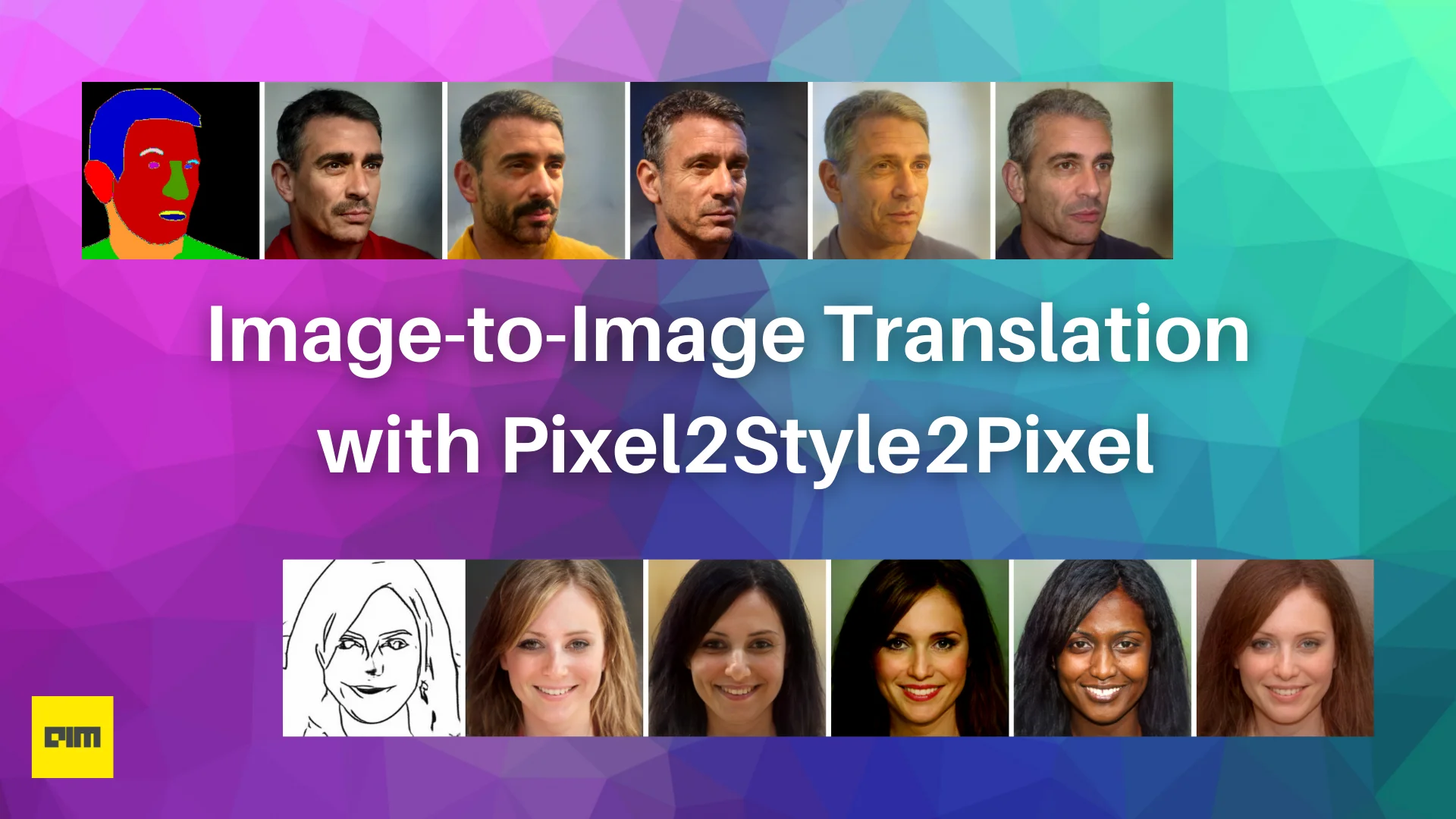
Pixel2Style2Pixel (pSp) is an end-to-end image translation framework that builds upon the representative power of a pre-trained StyleGAN generator and the W+ latent space. The framework proposes a new encoder network that can directly embed real images into W+ latent space. It also introduces an identity loss which helps improve image reconstruction performance.
Architecture & Approach
Pixel2Style2Pixel uses a fixed StyleGAN2 generator trained on the FFHQ dataset and a ResNet-IR architecture pre-trained on face recognition as the backbone network. StyleGAN showed that the different style inputs correspond to different levels of detail, roughly divided into three groups - coarse, medium, and fine. Taking note of this, the Pixel2Style2Pixel encoder backbone is extended with a feature pyramid. This feature pyramid generates three levels of feature maps from which styles are extracted using an intermediate network - map2style. The generated style vectors are fed into the StlyeGAN generator corresponding to their scale to generate the output image thus completing the translation from input pixels to output pixels through the intermediate style representation.

Another benefit of StyleGAN’s layer-wise representation is its ability to disentangle semantic objects. This ability to independently manipulate semantic attributes leads to another desired property: the support for multi-modal synthesis. Several image-to-image translation tasks are ambiguous, i.e., a single input image may correspond to several outputs. Therefore, it is desirable to be able to sample all these possible outputs. While standard image-to-image architectures require specialized changes, Pixel2Style2Pixel inherently supports this by simply sampling style vectors.

This is done by randomly sampling a random 512-dimensional and generating a corresponding latent code in W+. The styles of this randomly generated latent code, wR, and the computed latent code of the input image, wI, are mixed by inserting select layers of wR into the corresponding layers of wI, with α parameter for blending between the two styles. As shown in the figure above, layers 1−7 are selected from the latent code of the input image, wI, while layers 8−18 are taken from the sampled vector, wR. This creates multiple outputs with similar coarse and medium features but varying fine features.
Loss functions used in Pixel2Style2Pixel
Pixel2Style2Pixel encoder uses a weighted combination of three loss functions, first is the pixel-wise L2 loss.

Here x denotes the input image and pSp(x) is the encoder network’s output.
In addition to this, to learn perceptual similarities, the encoder uses the LPIPS loss. LPIPS loss has been shown to better preserve image quality compared to the more standard perceptual loss.

Here F(·) denotes the perceptual feature extractor.
Identity preservation between the input and output images is an important aspect of face generation tasks and none of the loss functions are sensitive to the preservation of facial identity. Pixel2Style2Pixel uses a dedicated recognition loss that measures the cosine similarity between the output image and its source to incorporate this objective into the overall loss function.

Here R is a pre-trained ArcFace network for face recognition. Combining these three losses we get the total loss function for the encoder.

Here λ1, λ2, and λ3 are constants defining the loss weights.
Multimodal analysis and StyleGAN inversion using Pixel2Style2Pixel
- Clone the repo:
!git clone https://github.com/eladrich/pixel2style2pixel.git
- Import required libraries and classes
 from argparse import Namespace
 import time
 import sys
 import pprint
 import numpy as np
 from PIL import Image
 import torch
 import torchvision.transforms as transforms
 from datasets import augmentations
 from utils.common import tensor2im, log_input_image
 from models.psp import pSp
- Create a model, download the weights, and load them.
 #Dictionary of model paths to easily generate download links
 MODEL_PATHS = {
     "ffhq_encode": {"id": "1bMTNWkh5LArlaWSc_wa8VKyq2V42T2z0", "name": "psp_ffhq_encode.pt"},
     "ffhq_frontalize": {"id": "1_S4THAzXb-97DbpXmanjHtXRyKxqjARv", "name": "psp_ffhq_frontalization.pt"},
     "celebs_sketch_to_face": {"id": "1lB7wk7MwtdxL-LL4Z_T76DuCfk00aSXA", "name": "psp_celebs_sketch_to_face.pt"},
     "celebs_seg_to_face": {"id": "1VpEKc6E6yG3xhYuZ0cq8D2_1CbT0Dstz", "name": "psp_celebs_seg_to_face.pt"},
     "celebs_super_resolution": {"id": "1ZpmSXBpJ9pFEov6-jjQstAlfYbkebECu", "name": "psp_celebs_super_resolution.pt"},
     "toonify": {"id": "1YKoiVuFaqdvzDP5CZaqa3k5phL-VDmyz", "name": "psp_ffhq_toonify.pt"}
 }

 #Function that generates model download link
 def get_download_model_command(file_id, file_name):
     """ Get wget download command for downloading the desired model and save to directory ../pretrained_models. """
     current_directory = os.getcwd()
     save_path = os.path.join(os.path.dirname(current_directory), CODE_DIR, "pretrained_models")
     if not os.path.exists(save_path):
         os.makedirs(save_path)
     command = r"""wget --load-cookies /tmp/cookies.txt "https://docs.google.com/uc?export=download&confirm=$(wget --quiet --save-cookies /tmp/cookies.txt --keep-session-cookies --no-check-certificate 'https://docs.google.com/uc?export=download&id={FILE_ID}' -O- | sed -rn 's/.*confirm=([0-9A-Za-z_]+).*/\1\n/p')&id={FILE_ID}" -O {SAVE_PATH}/{FILE_NAME} && rm -rf /tmp/cookies.txt""".format(FILE_ID=file_id, FILE_NAME=file_name, SAVE_PATH=save_path)
     return command

 #Available models
 # ['ffhq_encode', 'ffhq_frontalize', 'celebs_sketch_to_face', 'celebs_seg_to_face', 'celebs_super_resolution', 'toonify']

 #generate link and download model weighs
 path = MODEL_PATHS['celebs_seg_to_face'] #model to be downloaded: 'celebs_seg_to_face’
 download_command = get_download_model_command(file_id=path["id"], file_name=path["name"])
 !wget {download_command}


 #load model
 model_path = "pretrained_models/psp_celebs_seg_to_face.pt"
 ckpt = torch.load(model_path, map_location='cpu')
 opts = ckpt['opts']
 pprint.pprint(opts)
 opts = Namespace(**opts)
 net = pSp(opts)
 net.eval()
 net.cuda()

- Let’s do multi-modal synthesis, remember this is where a single input generates multiple outputs corresponding to a task like conditional image synthesis.
 def get_multi_modal_outputs(input_image, vectors_to_inject):
     results = []
     with torch.no_grad():
       for vec_to_inject in vectors_to_inject:
           cur_vec = torch.from_numpy(vec_to_inject).unsqueeze(0).to("cuda")
           # get latent vector to inject into our input image
           _, latent_to_inject = net(cur_vec,
                                     input_code=True,
                                     return_latents=True)
           # get output image with injected style vector
           res = net(input_image.unsqueeze(0).to("cuda").float(),
                     latent_mask=latent_mask,
                     inject_latent=latent_to_inject,
                     alpha=mix_alpha)
           results.append(res[0])
     return results

 # randomly draw the latents to use for style mixing
 vectors_to_inject = np.random.randn(n_outputs_to_generate, 512).astype('float32')
 multi_results = get_multi_modal_outputs(transformed_image, vectors_to_inject)
- Visualize the output
 input_vis_image = log_input_image(transformed_image, opts)
 res = np.array(input_vis_image.resize((256, 256)))
 for output in multi_results:
     output = tensor2im(output)
     res = np.concatenate([res, np.array(output.resize((256, 256)))], axis=1)
 res_image = Image.fromarray(res)
 res_image
This output should be something like this:

- Now let’s try StyleGAN inversion. Encoding an arbitrary image into latent style vectors that can be used to reconstruct the original image.
Setup the pre-trained model.
 path = MODEL_PATHS['ffhq_encode']
 download_command = get_download_model_command(file_id=path["id"], file_name=path["name"])
 !wget {download_command}
 ckpt = torch.load(model_path, map_location='cpu')
 opts = ckpt['opts']
 # update the training options
 opts['checkpoint_path'] = model_path
 if 'learn_in_w' not in opts:
     opts['learn_in_w'] = False
 opts = Namespace(**opts)
 net = pSp(opts)
 net.eval()
 net.cuda()
 print('Model successfully loaded!')

Extract and save the input images
 def get_download_images_command(file_id, file_name):
     """ Get wget download command for downloading the inversion images and save to directory ./inversion_images. """
     save_path = os.getcwd()
     url = r"""wget --load-cookies /tmp/cookies.txt "https://docs.google.com/uc?export=download&confirm=$(wget --quiet --save-cookies /tmp/cookies.txt --keep-session-cookies --no-check-certificate 'https://docs.google.com/uc?export=download&id={FILE_ID}' -O- | sed -rn 's/.*confirm=([0-9A-Za-z_]+).*/\1\n/p')&id={FILE_ID}" -O {SAVE_PATH}/{FILE_NAME} && rm -rf /tmp/cookies.txt""".format(FILE_ID=file_id, FILE_NAME=file_name, SAVE_PATH=save_path)
     return url

 save_path = "./inversion_images"
 download_command = get_download_images_command("1wfCiWuHjsj3oGDeYF9Lrkp8vwhTvleBu", "inversion_images.zip")

 !wget {download_command}
 !mkdir {save_path}
 !unzip {inversion_images_file_name}
Visualize the input images
 import matplotlib.pyplot as plt
 %matplotlib inline
 image_paths = [os.path.join(save_path, f) for f in os.listdir(save_path) if f.endswith(".jpg")]
 n_images = len(image_paths)
 images = []
 n_cols = np.ceil(n_images / 2)
 fig = plt.figure(figsize=(20, 4))
 for idx, image_path in enumerate(image_paths):
     ax = fig.add_subplot(2, n_cols, idx + 1)
     img = Image.open(image_path).convert("RGB")
     images.append(img)
     ax.grid(False)
     ax.set_xticks([])
     ax.set_yticks([])
     ax.imshow(img)
 plt.show()
It should look like this.

Run the inversion model.
 img_transforms = EXPERIMENT_ARGS['transform']
 transformed_images = [img_transforms(image) for image in images]
 batched_images = torch.stack(transformed_images, dim=0)
 with torch.no_grad():
     tic = time.time()
     result_images = run_on_batch(batched_images, net, latent_mask=None)
     toc = time.time()
     print('Inference took {:.4f} seconds.'.format(toc - tic))
- Visualize and compare the reconstructions with the original images.
 from IPython.display import display
 couple_results = []
 for original_image, result_image in zip(images, result_images):
     result_image = tensor2im(result_image)
     res = np.concatenate([np.array(original_image.resize((256, 256))),
                           np.array(result_image.resize((256, 256)))], axis=1)
     res_im = Image.fromarray(res)
     couple_results.append(res_im)
     display(res_im)

Last Epoch (Endnote)
This post discussed Pixel2Style2Pixel an image-to-image translation framework that introduces a novel encoder architecture tasked with encoding an arbitrary image directly into W+ latent space. This encoder is based on the Feature Pyramid Network; style feature vectors extracted from different pyramid scales are inserted directly into a fixed, pre-trained StyleGAN generator in correspondence to their spatial scales. Pixel2Style2Pixel can also be applied to other image-to-image translation tasks like- face frontalization, super-resolution, inpainting, and the fascinating and impressive task of generating images from sketches.

To learn more about Pixel2Style2Pixel, and to try out the other tasks/models see the following links:

Your reaction