
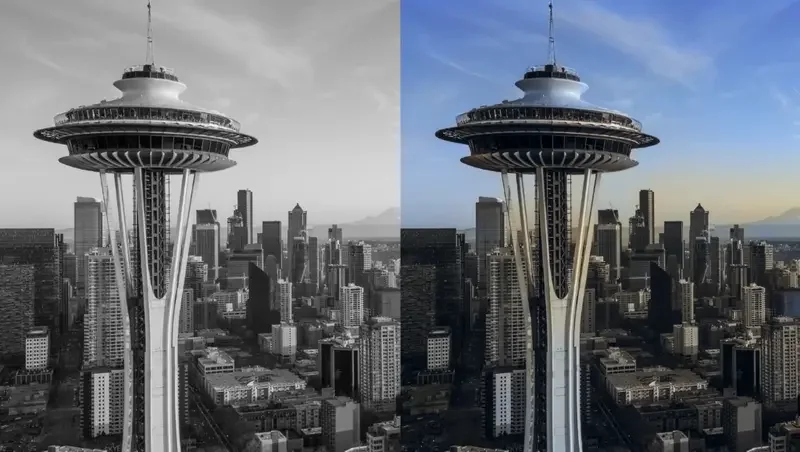
Adobe has already been using emerging technologies like AI in several Photoshop features, including Object Selection Tool, Curvature Pen Tool, among others. During this year’s annual Adobe event MAX, Adobe announced a number of innovative features that are made powerful by fusing AI technologies.
Here is a compilation of the top AI-powered features that are released by Adobe in 2020.
Neural Filters

Neural Filters is one of the significant breakthroughs in AI-powered creativity. According to its developers, it is the beginning of a complete reimagination of filters and image manipulation inside Photoshop. It is a new workspace inside Photoshop that introduces new non-destructive filters to help you explore creative ideas in seconds.
This version of Neural Filters consists of a large set of new filters, and many of its existing filters are still in beta. This feature is part of a new ML platform that will develop as well as get better over time – expanding on what’s attainable exponentially.
Sky Replacement

The new Sky Replacement has the capability to separate the sky from the foreground and allows users to create intuitive images with dynamic skies in just a few clicks. A user can either select the sky with ‘Select>Sky’ and edit it or select the ‘Edit>SkyReplacement’ option and choose a new sky from the database or add their own from their inventory.
In such a case, the new Sensei-powered ML models perform the masking and blending task. Sky Replacement uses cutting-edge algorithms to harmonise the foreground of an image with the sky.
Discover Panel

The Discover panel is packed with both tools and tips to help users work in a faster and efficient manner. Discover panel utilises AI techniques to provide recommendations based on both the users and their work.
According to the official blog post, this new tool inside Photoshop will continue to add AI capabilities that enhance the experience with the product. This new feature merges an expanded library of in-app learning content, along with new step-by-step tutorials as well as powerful search functionality.
Refine Edge Selections

The features, Object Aware Refine Edge and Refine Hair leverage AI techniques to improve choices that include objects like hair or other complicated backgrounds. The Object Aware Refine mode is used to set the Refine edge mode in order to make better and faster selections.
According to a blog post, the Object Aware algorithm has been trained to understand objects in the scene and thus work better with similarly-coloured or similarly-textured backgrounds. On the other hand, the Refine Hair mode has been located in the Options bar, helping users to refine the selected hair.
Speech to Text in Premiere Pro
A new Adobe Sensei feature for videos -- Speech to Text in Premiere Pro allows users to create a transcript from their video automatically, and then produce automatic captions on the timeline. It is powered by the Adobe Sensei, where the Auto Captions leverages machine learning techniques to mirror the pacing of spoken dialogue as well as match it to the video timecode.
New captions workflow in Premiere Pro
Currently, in the public beta version, new captions workflow in Premiere Pro offers captions as an integral part of the editorial section. This feature provides a reimagined user experience for working with captions and subtitles in Premiere Pro with the help of the design tools in the Essential Graphics panel for customising as well as stylising text.
Roto Brush 2 in After Effects
This AI feature gives both editors and VFX artists the capability to intervene a foreground object from its scene in a faster and intuitive manner. Roto Brush 2 uses Adobe Sensei to track selected objects in an automatic and frame by frame fashion. Also, the feature improved the original Roto Brush tool, making advanced rotoscoping available to a wide range of video creators. Not only it saves countless hours of effort but also works with difficult footage.
Speech-Aware Animation in Character Animator
Speech-Aware Animation in Character Animator is an AI feature that provides new options for creating content by automatically generating animation from recorded speech, including corresponding head and eyebrow movements.

Your reaction
Discussion
What's your take on this story?
No comments yet — be the first to share your view.